 Wednesday, August 5, 2026
Things About Firmware Upgrade You Should Know

1. What’s a Cartridge Chip?
Many printer cartridges come with a tiny chip. This chip can be useful. It tells you when your toner is running low, estimates the number of pages you can still print, and tracks usage.
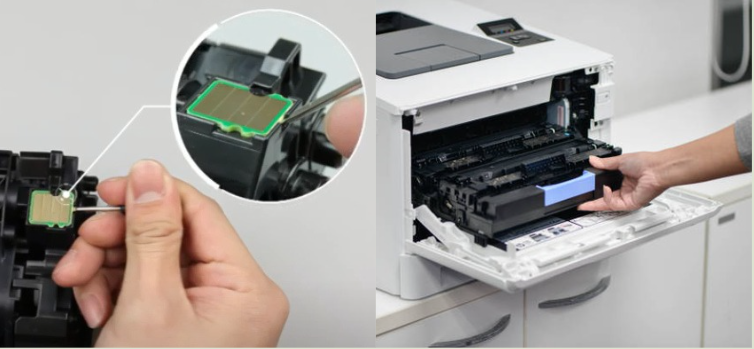
But there’s a catch. Printer brands (known as OEMs, or Original Equipment Manufacturers) often use these chips to block the use of cheaper, high-quality alternatives from being used in the printers. That means your choice is taken away from you: you may be forced to buy the more expensive OEM cartridges, even if you’d rather choose more affordable options.
2. What’s a Firmware Update?
Think of firmware as your printer’s brain—the built-in software that runs the machine. Updates are supposed to improve performance, fix bugs, or add new features.
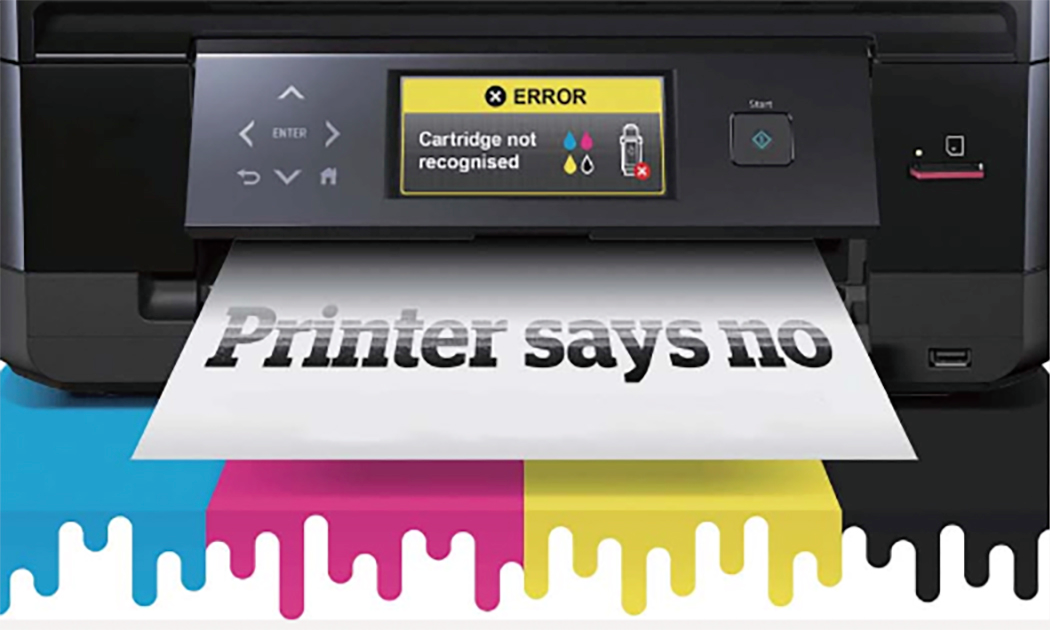
However, in recent years, many updates have been used for something else: stopping third-party cartridges from working.
Worse still, these updates are not always obvious. Sometimes they’re:
- Preloaded before you even buy the printer,
- Automatically installed through the internet,
- Or even carried on the cartridge chip itself.
Some updates even include a “time bomb,” meaning your printer works fine today but suddenly refuses to accept non-OEM cartridges months later.
3. How to Protect Yourself
You do have options to keep your printer flexible and avoid being locked in:
👉 Turn Off Automatic Updates
Go to your printer’s settings (often under “Maintenance”) and switch off auto updates.
👉 Allow Firmware Downgrades
If your printer offers this option, enable it. It lets you roll back to an earlier version if needed.
👉 Save Your Current Firmware
If your printer works well with alternative cartridges now, save a copy of the firmware to your computer or a USB stick. That way, if an update blocks your cartridges later, you have a backup.
The Bottom Line: Be cautious with firmware updates, turn off auto-updates, and keep a backup. Protect your right to choose the cartridges that work best for you—without being forced into high OEM prices.
4. What the Experts Say
“Firmware updates are often presented as security fixes, but in reality, they’re often designed to block non-OEM cartridges.”

“Forcing customers to choose between security and affordable cartridges is wrong, and may even break consumer protection laws.”

“Customers everywhere are frustrated—online forums are filled with complaints about cartridges suddenly being rejected after updates.”

“At the end of the day, consumers should have the right to choose what goes into their printers.”

5. Aftermarket Solutions
In response to OEM firmware upgrades, leading aftermarket chip manufacturers have developed solutions to ensure end-users are not affected.
Some of the highlights include:
- Upgrade without Unpacking Solution (Ninestar): Enables firmware-affected cartridges to be upgraded without opening the packaging.
- Unismart Firmware Upgrade by Ninestar: A powerful chip-resetting machine that upgrades both toner and inkjet cartridges.
- ChipStation by Chipjet: An intelligent firmware upgrade management system that resolves conflicts between product upgrades and inventory management.
- Progeasy by Zhono: An all-in-one solution for programming, resetting, testing, and remote chip upgrading.
 Loading ...
Related readings:
- Firmware Updates: Putting the OEMs on Notice
- Industry Body Urges HP to Change its Firmware Updates
- Is All Fair in Love and War – Firmware Updates
- OEM Firmware Strategies Could Violate US Anti-Trust Laws
- Antitrust Authority Goes Soft on Firmware Updates
- Chips and Firmware Updates and Lock Out Strategies
- Consumers Abandon HP Over Firmware Issues
- Complaint Filed Over HP Firmware Lockout
- Cartridge Chips Printer Firmware and the Aftermarket
Comment:
Please leave your comments below for the story “Things About Firmware Upgrade You Should Know.”



Leave a Comment
Want to join the discussion?Feel free to contribute!