 Thursday, July 23, 2026
Zhono’s Guide for Kyocera TK8465 Series Printers: Maintenance Mode & Common Code
Zhono’s Guide for Kyocera TK8465 Series Printers: Maintenance Mode & Common Code
Background
Zhono frequently faces queries from customers about the meaning of different codes on Kyocera printers. In response, this article takes the frequently mentioned Kyocera TK8465 series models as an example to explain how to enter Maintenance Mode and provide explanations of common maintenance codes.
How to Enter Maintenance Mode
The following steps are performed on the Kyocera TASKalfa MZ3501ci model.
Step 1. Print the Maintenance Report.
First, tap the [•••] on the top right corner and click the icon “Numeric Keypad” at home page.
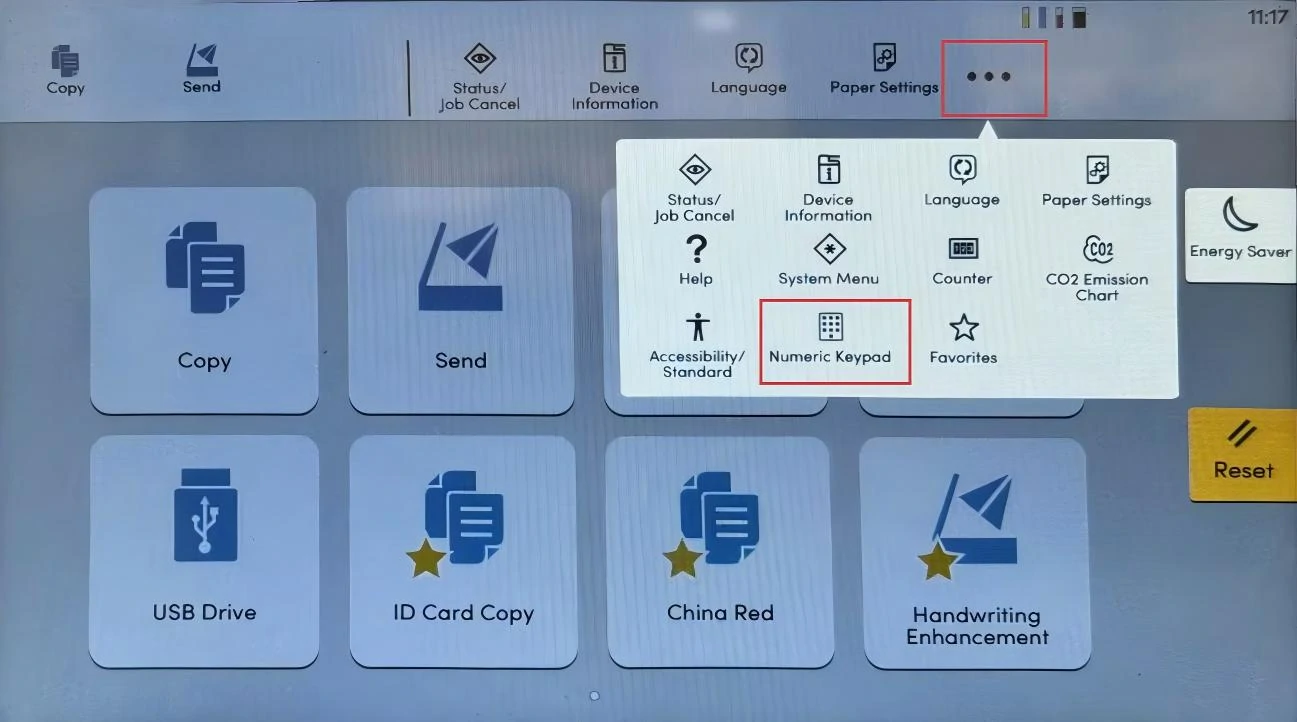
Figure 1: Home Page
Second, enter [10871087] on the on-screen keyboard to access Maintenance Mode.
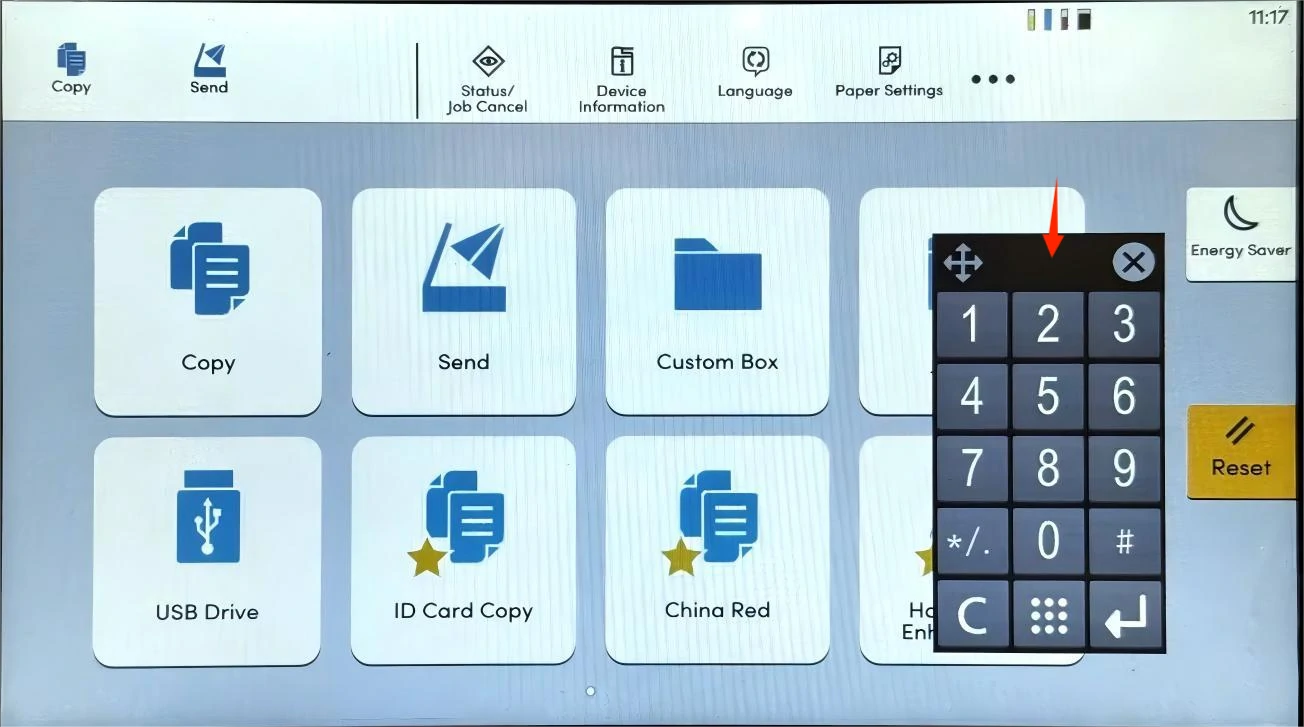
Figure 2: Maintenance Mode
Finally, enter [000] and tap [Start]. Then select the content to be printed on the left side and tap [Start] (Note: the default content here is “01 Maintenance”). When [Print] appears on the screen, tap [Start] again and wait for the maintenance report to be printed.
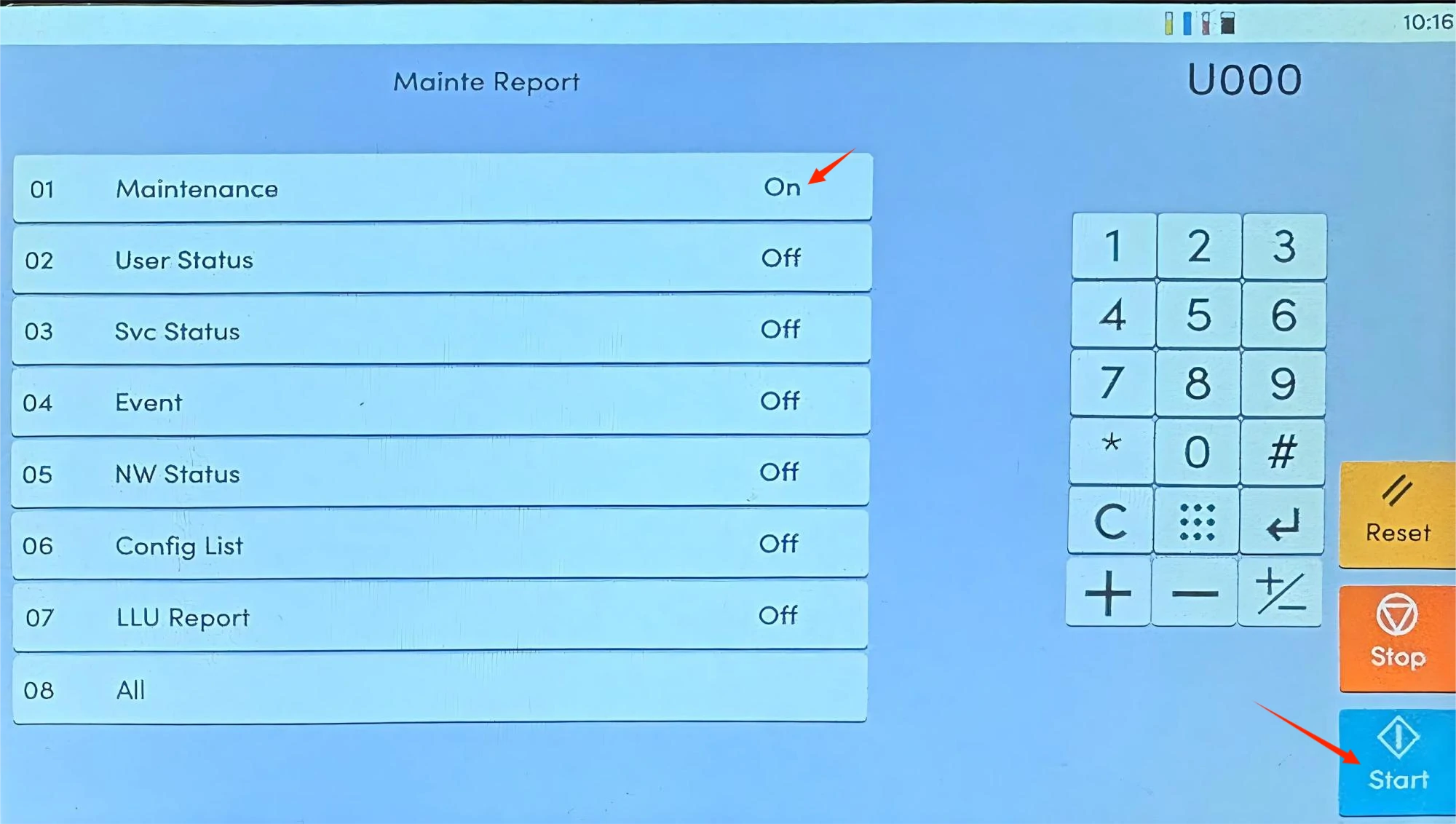
Figure 3: Select item to Print
Step 2. Based on the specific machine symptoms, refer to the codes listed on the printed Maintenance Report for troubleshooting and repair.
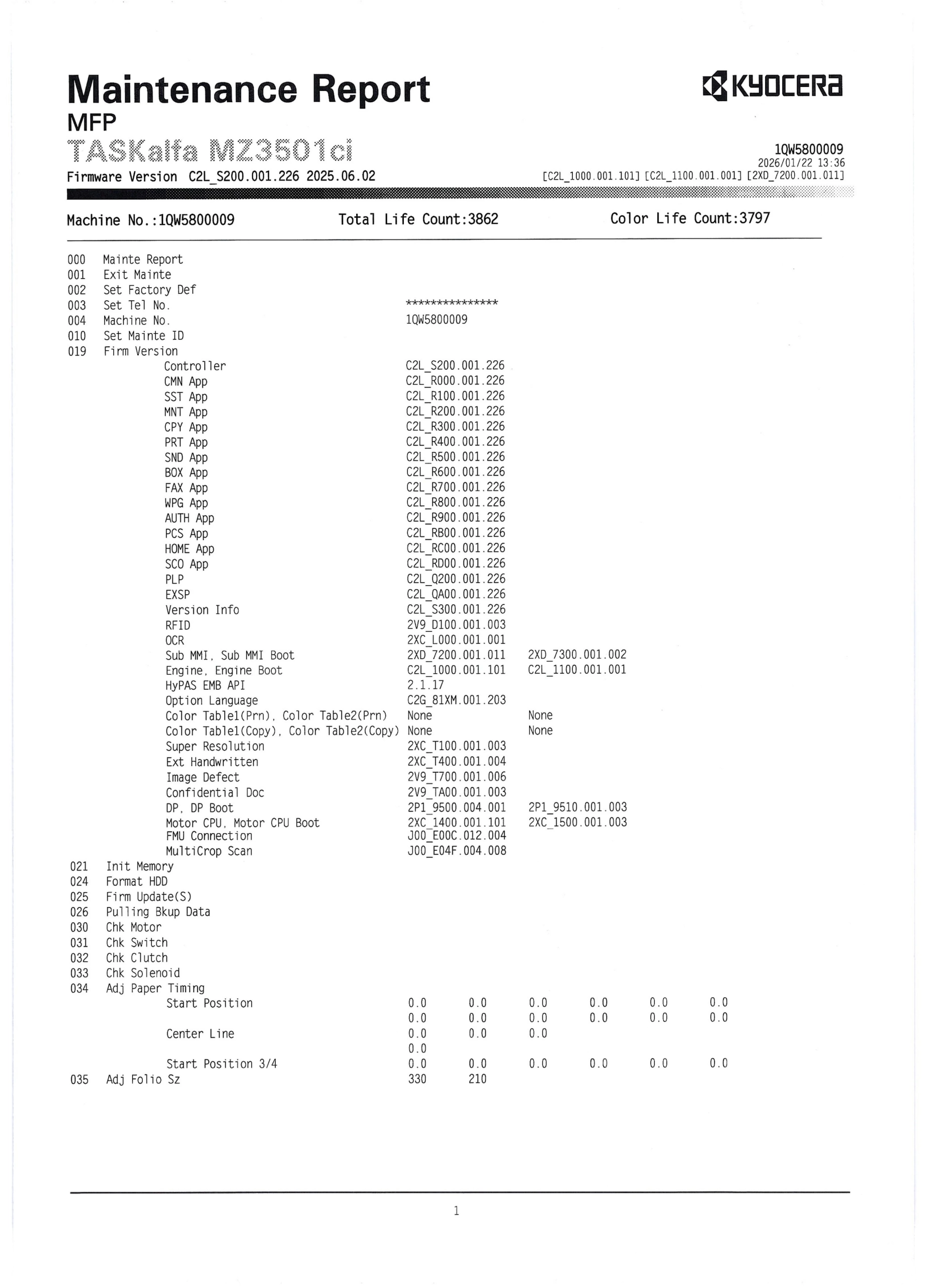
Figure 4: Codes Listed on the First Page of the Maintenance Report
Step 3. When maintenance is finished, enter [001] and tap [Start] to exit Maintenance Mode.
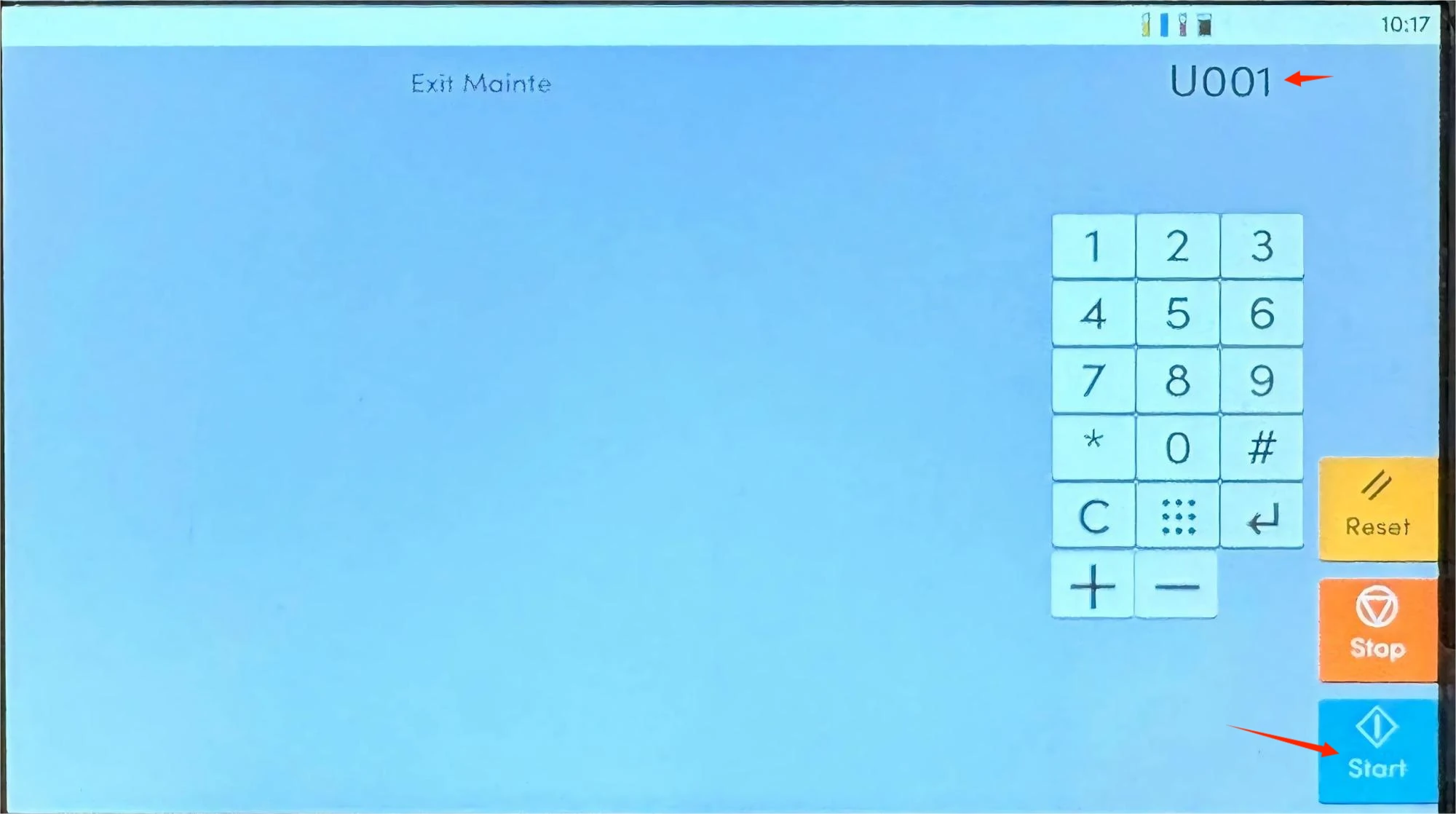
Figure 5: Exit the Maintenance Mode
Explanation of Common Maintenance Codes
The following are the most common maintenance codes on Kyocera TK8465 series models for engineers’ reference.
1.021-Init Memory (Initialize Memory)
Function: Clear temporary data in the machine’s memory.
Use for: Resolving issues like stuck print jobs or system freezes. It does not erase user data or counters, making it relatively safe.
2.024 – Format HDD (Format Hard Disk Drive)
Function: Format the machine’s hard disk drive.
Use for: Hard disk errors, or when the machine is ready for disposal or resale.
(Note: This operation will permanently erase all user data. Be sure to back up before proceeding.)
3.030 – Chk Motor (Motor Check)
Function: Test whether all motors inside the machine are working properly.
Use for: Diagnosing potential motor faults. Run this code first when the printer has unusual noises or paper jams.
4.031 – Chk Switch (Switch Check)
Function: Detect the status of cover switches and sensors.
Use for: Troubleshooting issues where the machine indicates the cover is open,but it is actually closed.
5.034 – Adj Paper Timing Start Position (Paper Start Position Adjustment)
Function: Adjust the starting position (alignment) of printed content on the paper.
Use for: Correcting print content misalignment. This is the key code for solving alignment issues.
6.252 – Set Dest (Set Destination/Region)
Function: Set the country or region where the machine is located.
Use for: Reconfiguring the machine after cross-region use or a factory reset.
7.928 – Life Cnt (Life Count)
Function: Check the lifespan of various components (drum, developer, fuser, etc.).
Use for: Determining whether replacement parts are needed. This is the most commonly used code in daily maintenance.
Summary
Maintenance Mode is a mode for printer error diagnosis and repair. Mastering how to enter Maintenance Mode on Kyocera TK8465 series machines and understanding the functions of common codes helps quickly identify errors and improve on-site repair efficiency.
All images in this article are for reference only; actual products may vary. All brand names and trademarks not owned by our company are the property of their respective owners and are used for reference purposes only.
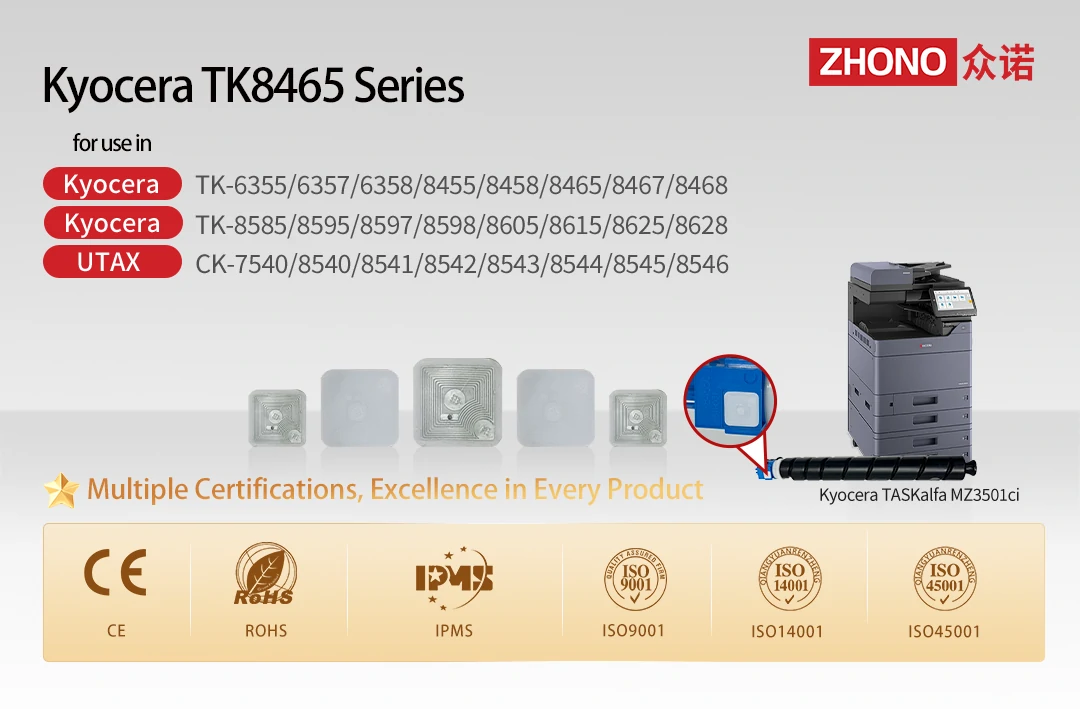
Please follow Zhono and subscribe on LinkedIn or Facebook. For more information, please contact your sales representative or send an email to info@zhono.com.
Related:
- First to Market | Zhono Released Compatible Chips for the Xerox B105 Series
- Zhono Chips Confirmed Compatible with Firmware Upgrades from Multiple Brands in February
- Zhono’s Instructions for Resetting Drum on OKI B433dn Series
- Zhono Released 4 Compatible Chips in February
- Zhono Launched 7 Compatible Chips in January
Comment:
Please leave your comment below about the news: Zhono’s Guide for Kyocera TK8465 Series Printers: Maintenance Mode & Common Code.




Leave a Comment
Want to join the discussion?Feel free to contribute!