 Friday, July 31, 2026

Zhono’s Instructions for Resetting Drum on OKI B433dn Series
Zhono’s Instructions for Resetting Drum on OKI B433dn Series
Background
The OKI B433dn series printers may display the message [Please replace the drum.] and stop printing after a certain number of pages have been printed. In such cases, drum replacement can be avoided by performing a proper reset, allowing the component to remain in service.
The drum for this model cannot be reset through software or printer buttons, as it does not use a physical drum chip.
This article details a hardware-based method for resetting the drum, enabling engineers and technicians to resolve this issue efficiently.
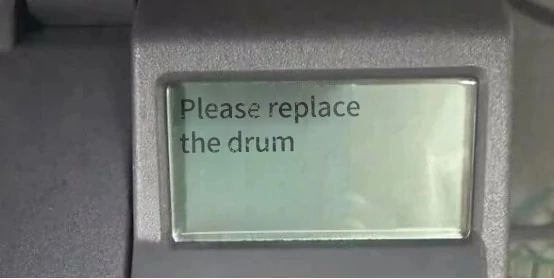
Figure 1: Prompt
Solution
Step 1: Preparation
Prepare two insulated thin wires and a 1/16A fuse. Turn off the printer and ensure it is fully powered down. Open the front cover and remove the drum.
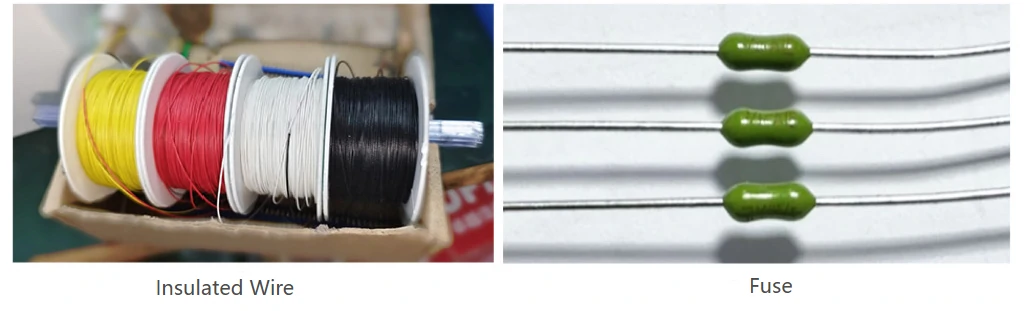
Figure 2: Tool Preparation
Step 2: Contact Connection
Locate the two contacts on the printer and connect them using the two insulated wires (as shown in figure 3).
Safety Warning: Ensure the exposed wire ends do not contact the printer’s metal casing to prevent a short circuit.
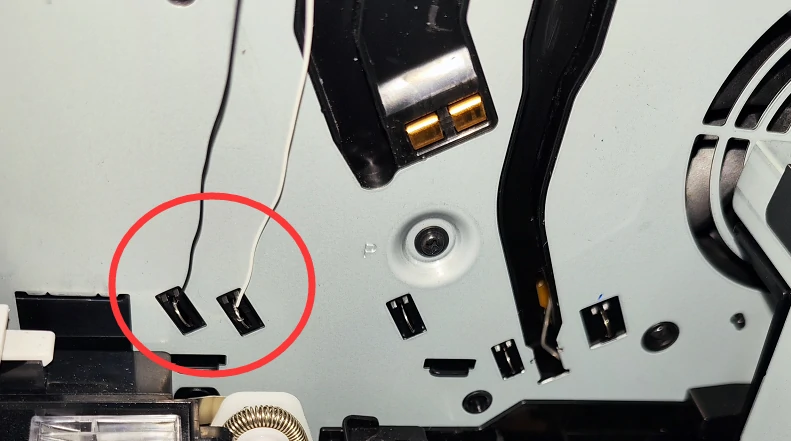
Figure 3: Contacts
Step 3: Fuse Installation
Connect the free ends of the two wires to each end of the 1/16A fuse (as shown in Figure 4). Ensure the connections are secure and there are no loose or improper contact.
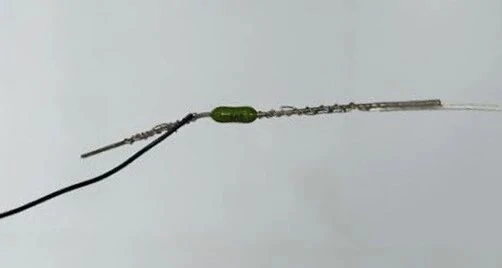
Figure 4: Fuse Connection
Step 4: Reset Standby
Reinstall the drum and close the cover. Turn on the printer. The fuse will automatically blow, preparing the drum unit for reset.
Step 5: Reset Procedure
Once the printer has started up and displays a ready status, power it off and remove the drum unit again. Remove the insulated wires and fuse tube connected to the printer contacts, then reinstall the drum into the device. The reset process is now complete.
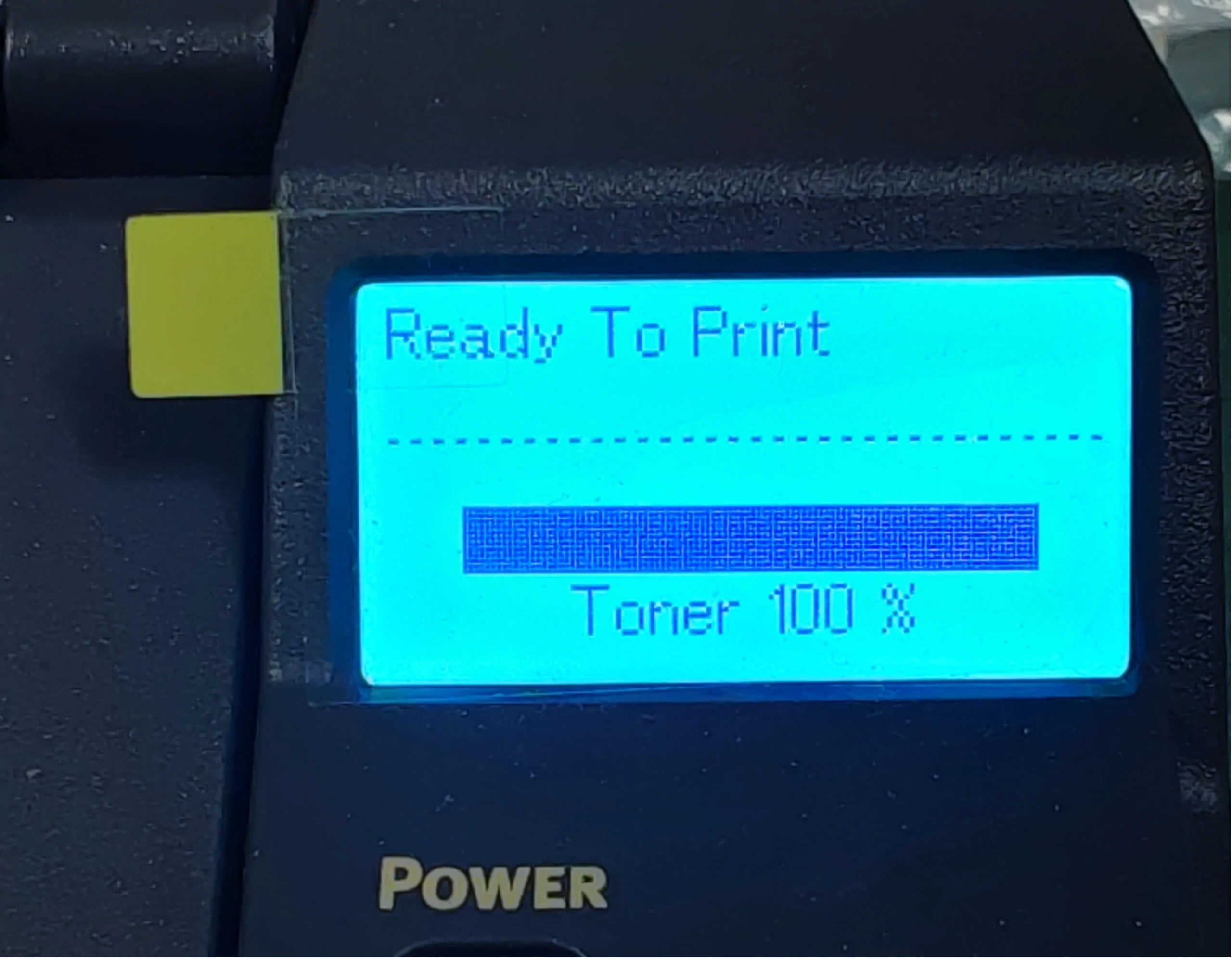
Figure 5: Ready Status
Troubleshooting Common Issues
If the printer does not function properly after the reset, consider the following possible causes:
- Short Circuit
An exposed wire may have contacted the printer’s metal casing causing a short circuit. Reinsulate the wire and repeat the procedure.
- Fuse Issue
An incorrect fuse rating (non 1/16A) or a defective fuse may prevent it from blowing as intended. Replace it with a compliant 1/16A fuse and repeat the reset.
- Poor Contact
A loose connection between the insulated wire and the printer’s contacts may result in an open circuit. Recheck and secure the connection to ensure proper contact.
Conclusion
For printers like the OKI B433dn that do not use a drum chip, the message [Replace the Drum] may appear and the printer ceases printing. The drum can be reset through professional reset operations, restoring normal printing functionality and effectively reducing consumable costs.
For more information about these products and more, please visit Zhono’s official website at www.zhono.com or send emails to info@zhono.com.
Related:
- Zhono Released 4 Compatible Chips in February
- Zhono Launched 7 Compatible Chips in January
- Zhono Released 9 Compatible Chips in December
- Zhono’s Guide to Prevent Xerox Copier from Printing Cover Page
- Zhono Released 4 New Compatible Chips in November
Comment:
Please leave your comment below about the news: Zhono’s Instructions for Resetting Drum on OKI B433dn Series.




Leave a Comment
Want to join the discussion?Feel free to contribute!